Structure
The Sympheny web app organises your work into three levels: projects contain analyses, and analyses contain scenarios. All modelling takes place within a scenario. Running a scenario creates an execution and one or more solutions.
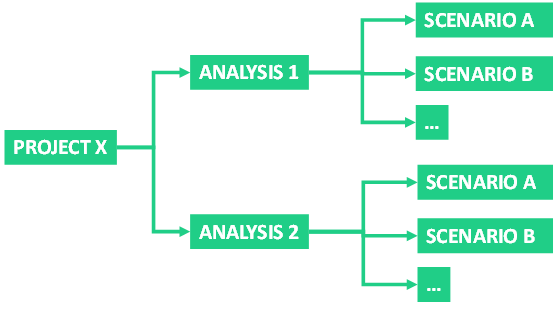
Structure overview
- Projects: individual sites or areas to be optimised.
- Analyses: groups of related scenarios within a project, such as design iterations or distinct project stages.
- Scenarios: complete descriptions of an energy system, including every input the optimisation uses.
- Executions: saved optimisation runs, together with copies of the corresponding scenario parameters.
- Solutions: outcomes of an execution. A multi-objective execution returns several, each a different trade-off you can compare in the interactive dashboard.
What's next?
- Quick start: see how these pieces fit together in practice, by walking through the Example case that comes with your account.
- Step-by-step guide: build a model of your own site, from creating a project and an analysis, through the eight scenario steps, to running the optimisation and exploring the results.