Download databases
Downloading your database is useful when you want an overview of all your data, or need to do some post-processing or adjusting.
Steps
To download your data:
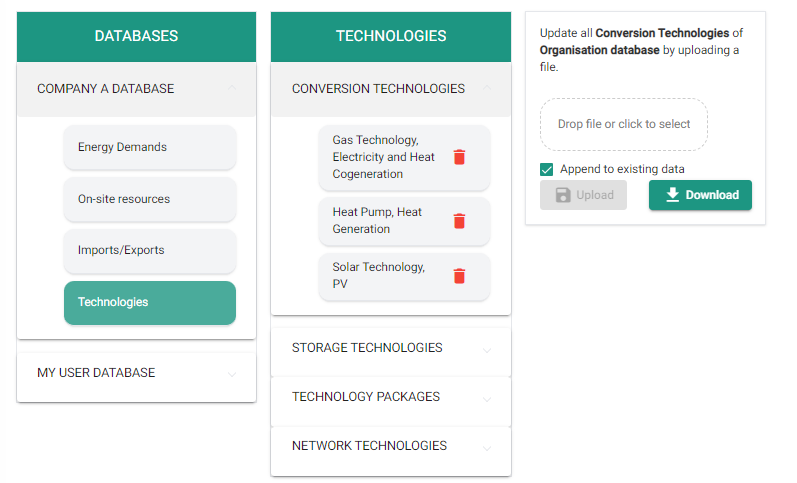
- Navigate to the database and the type of data you want to download (for example, Energy Demands, On-site Resources, or a category of Technologies).
- On the right side of your screen, click the Download button.
- Scroll to the bottom of the page and click the download arrow.
- Open the downloaded file in Excel.
Tip
The format of the downloaded Excel file matches the format required for uploading databases.